
Seamless Shipping
Fast, reliable delivery with Real-time tracking and updates
Complete the Moorah Register process to create a new account. Enter your nickname, select your country, verify your phone number with OTP, provide the required account details and add a Referral Code if available. You can also use the provided QR Code to access the registration page conveniently from a supported mobile device.
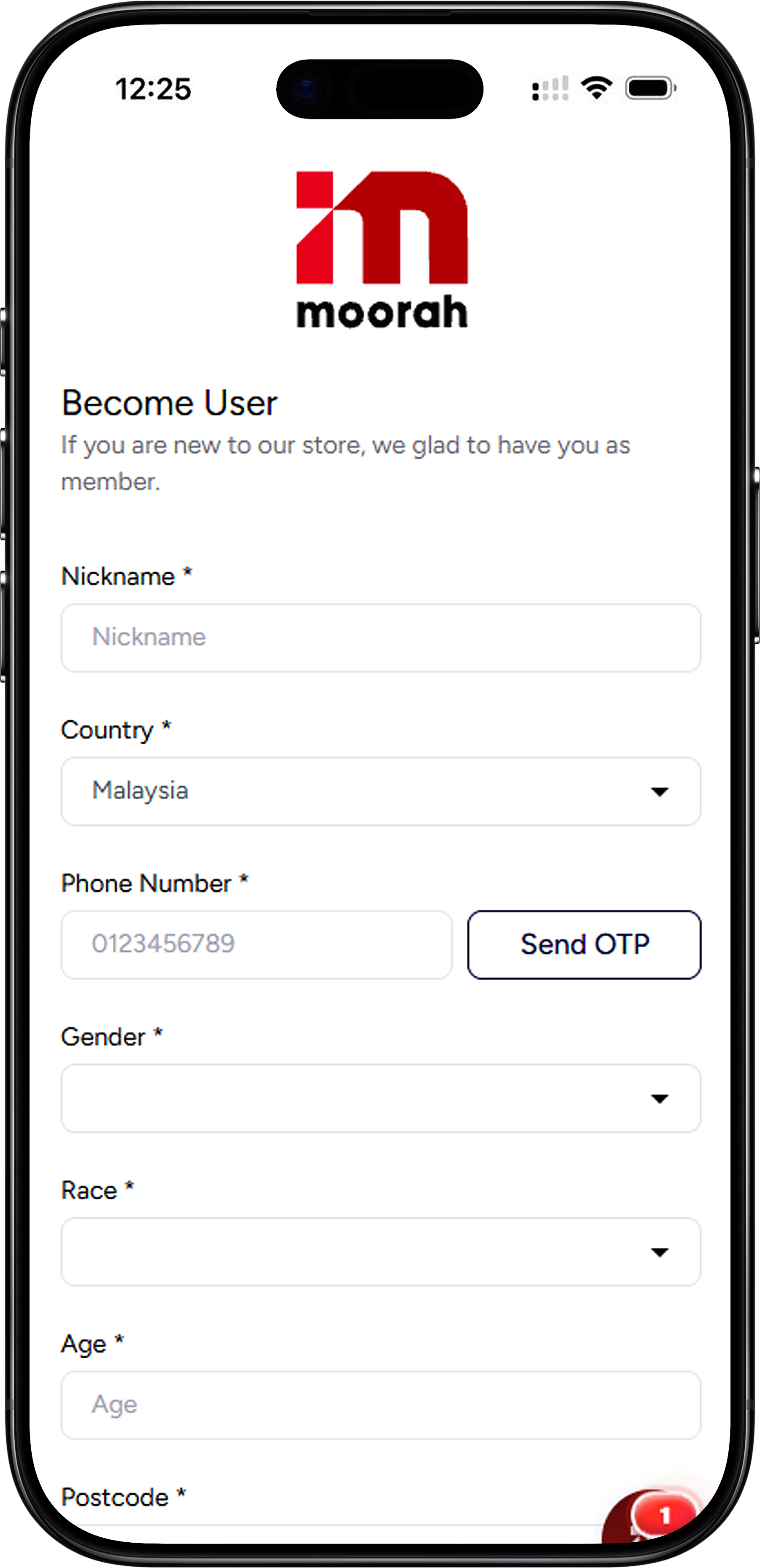
Follow the registration form step by step to complete your Moorah Sign Up. Required fields are marked with an asterisk (*), while the Referral Code field is available separately for users who have one.
Enter the nickname you want to use for your Moorah account in the Nickname field.
Open the Country menu and select the applicable country. The registration form displays Malaysia as the selected country where applicable.
Enter your phone number in the Phone Number field and select Send OTP. Complete the phone verification process using the OTP sent to your number before proceeding with registration.
Select the required Gender and Race options and enter your Age in the corresponding fields shown on the registration form.
Enter the postcode for the area where you live in the Postcode field.
If you have received a Moorah Referral Code, enter it in the Referral Code field before submitting your registration. The screenshot shows this field without an asterisk, unlike the required registration fields.
Review the information you have entered and select Register to submit your Moorah Sign Up. If you already have an account, use the Sign In option instead.
The Moorah Sign Up form asks new users to provide several details before registration can be submitted. Checking the required information in advance can make it easier to complete the form correctly.
Prepare your nickname, country and phone number. Your phone number is also used during the OTP verification step shown in the registration process.
The form includes required fields for Gender, Race, Age and Postcode. Complete each required field with the applicable information before selecting Register.
A separate Referral Code field appears near the end of the form. Users who have a valid referral code can enter it here as part of the registration process.
The Referral Code field allows eligible new users to enter a code they have received during Moorah registration. Enter the code in the designated field before selecting Register.
The Referral Code field is located below the Postcode field and above the Register button. Enter your available code directly into this field before submitting the form.
In the registration form shown, required fields are identified with an asterisk (*), while Referral Code is displayed without one. This indicates that the Referral Code is presented separately from the required registration fields.
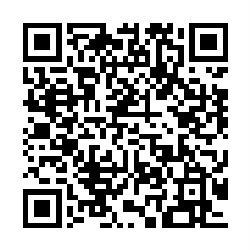
The QR Code provides another convenient way to access Moorah registration from a mobile device. Scan the provided code with a supported phone camera or QR scanner to open the linked registration destination, then follow the Moorah Register steps on your device.
Open the camera or QR scanning function on your supported mobile device and point it at the Moorah QR Code. Follow the link displayed after the code is recognized and confirm that you have reached the intended Moorah registration destination before entering your information.
After opening the registration page through the QR Code, complete the required fields, verify your phone number through OTP, enter a Referral Code if available and select Register to submit your registration.
Open the Moorah Register page, enter your nickname, select your country, provide your phone number and complete OTP verification. Then fill in the required Gender, Race, Age and Postcode fields, add a Referral Code if available and select Register.
The registration form shown requires a nickname, country, phone number, Gender, Race, Age and Postcode. A Referral Code field is also provided separately.
Yes. The registration form includes a Phone Number field together with a Send OTP button, indicating an OTP verification step during account registration.
Enter your code in the Referral Code field located below the Postcode field and before the Register button.
The displayed registration form marks required fields with an asterisk (*). The Referral Code field does not display an asterisk, so it is presented separately from the required fields shown on the form.
Yes. The provided Moorah QR Code can be scanned with a supported mobile device to open its linked destination. Check the destination before entering your registration information.
If you already have an account, select the Sign In link displayed below the Register button instead of creating another account.
Create your account by completing the Moorah Register form, verifying your phone number through OTP and entering a Referral Code if you have one.
Fast, reliable delivery with Real-time tracking and updates

Earn bonuses for every friend you invite

Win Jackpot by purchasing products

Get assistance on 8AM - 8PM daily